EnokiPDF Pricing Open EnokiPDF

Private · Free for home use · Works in any language

Fill, sign and fix PDFs — without uploading them.

EnokiPDF does everything inside your browser: fill in and sign forms, combine scans, black out private numbers and shrink big files. Your documents never leave your device.

No account, nothing to install. Or try a Korean form with a seal (도장).

🤝 Free for home use, on your honor. Using it for work? Please go Pro.

DCMade by DC Chung — why I built it →
  • 0 uploadsOpened, filled and built on your device. Sharing sends only an AES-256 locked copy.
  • 0 sign-upsOpen the page and start — no account, no email
  • 23 languagesKorean, Japanese, Chinese, Arabic, Spanish, Vietnamese…
  • ~1 secondto open a 300-page PDF for filling

What EnokiPDF does

What makes it different

The paperwork tools families actually need

Built for real forms — government, school, rental, bank — in the language they're printed in.

Sign step by step

EnokiPDF finds every place to fill — names, dates, tick boxes, initials, signatures — and walks you through them one by one. Initial one page and it offers to initial the rest. Signatures you draw are kept on your device for next time, for everyone in the family.

Forms in any language

Reads Korean, Japanese, Chinese and 20 more. Knows 년 월 일, 서명 또는 날인 and 印 — and stamps a red seal (도장) made from your name.

Black out private info — for real

Finds ID, card, email and phone numbers (and your own words) and removes them from the file, not just covers them.

Share links: AES-256 and self-destructing

The only time a file leaves your browser — locked with AES-256 on your device first. The link self-destructs after 1 hour, 1 day, 7 days or one download.

Pair scanned fronts & backs

Scanned one side, flipped the stack and scanned again? EnokiPDF weaves the pages back into order — even if the backs came out backwards.

“Did you miss anything?”

Turn it on and, before you finish, it checks for empty signature, initials and date places — the mistakes that get forms sent back. Off until you want it.

Make it smaller

Too big for email or an upload form? Shrink it under 5, 2 or 1 MB — scans keep a crisp text layer, so words stay sharp.

Erase and write over it

Wrong number on a form? Drag the eraser over it and type the right one on top. The patch takes the page’s own colour — even on a tinted form — and what was underneath is removed from the file, not just covered.

Phone, tablet or computer

Works in any modern browser and can be added to your home screen. Once loaded, it even works offline.

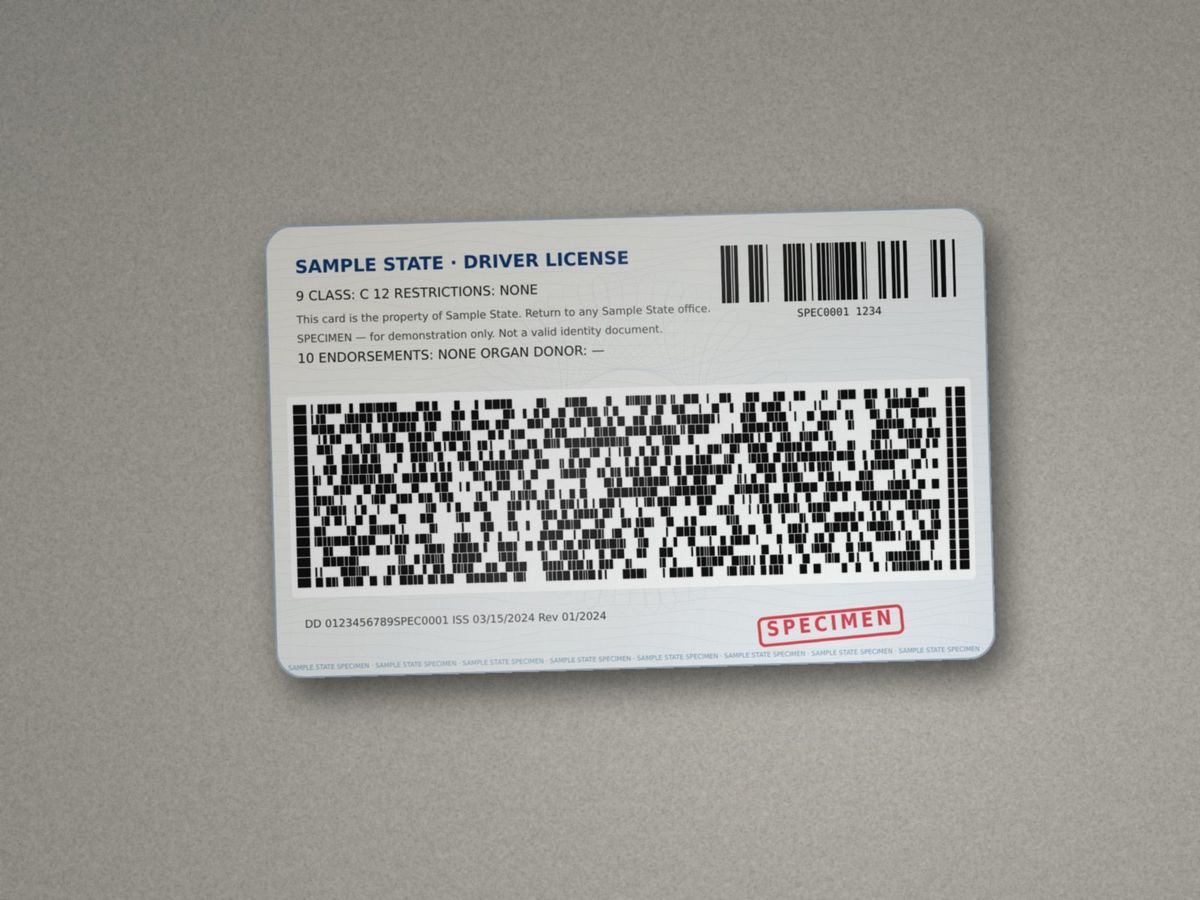
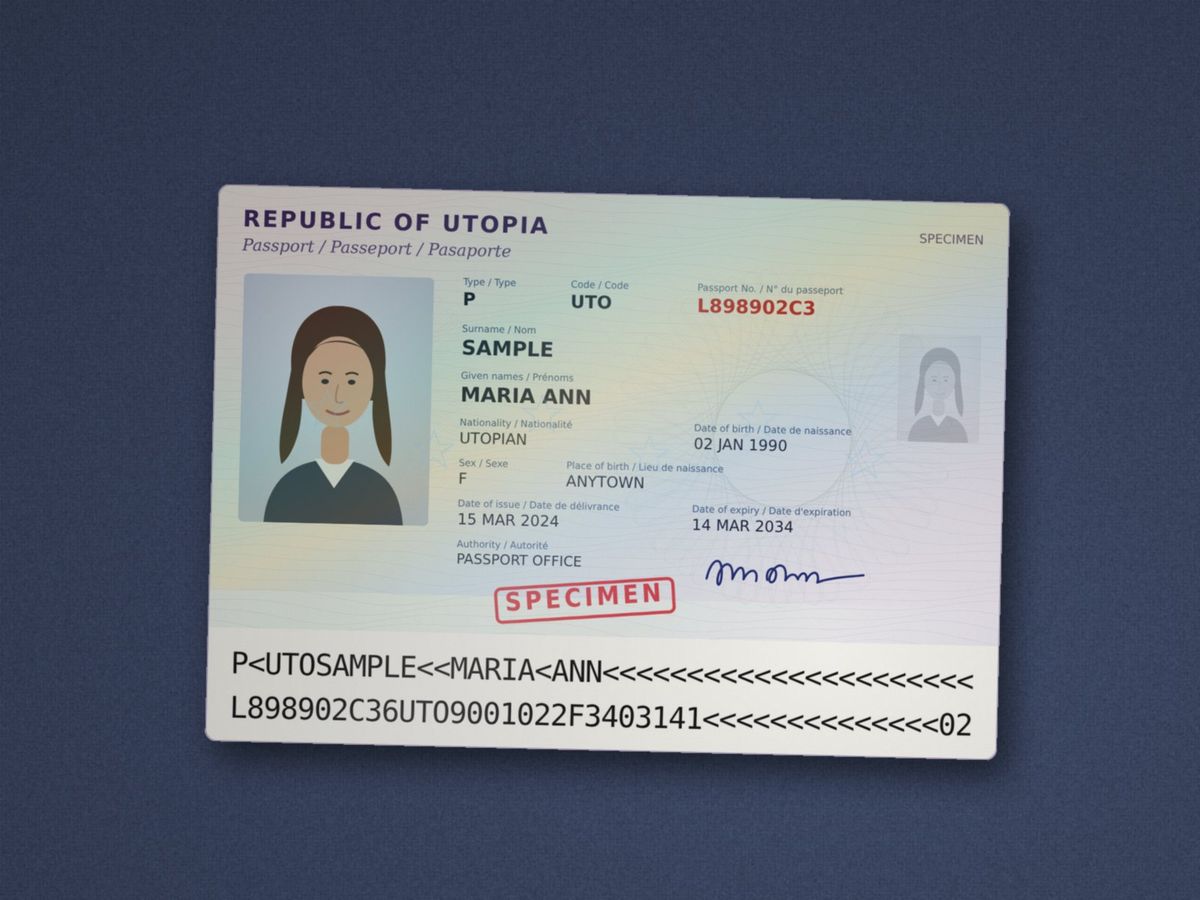
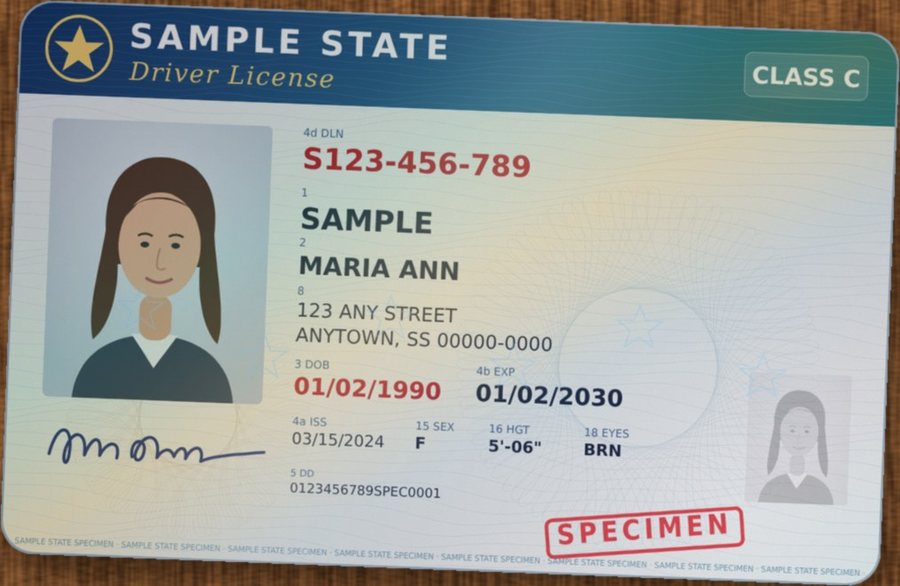
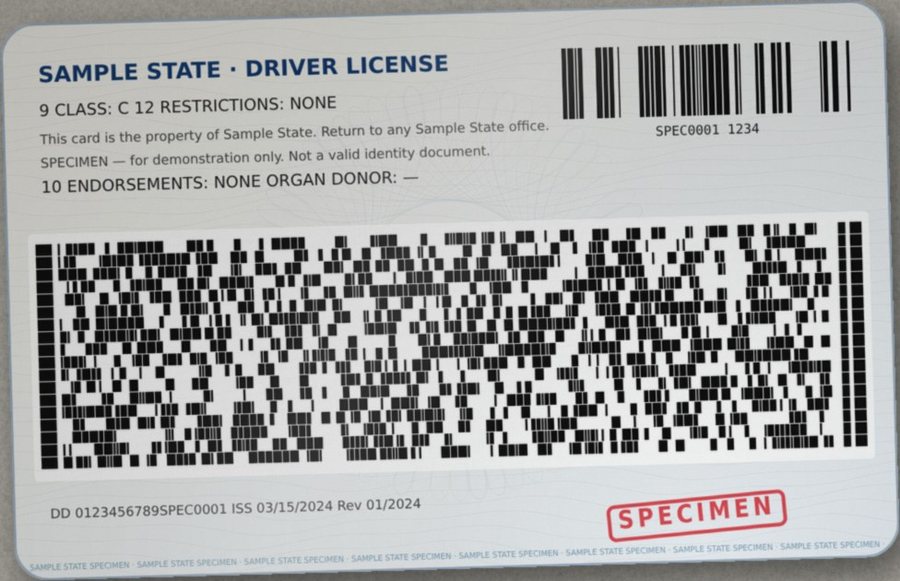
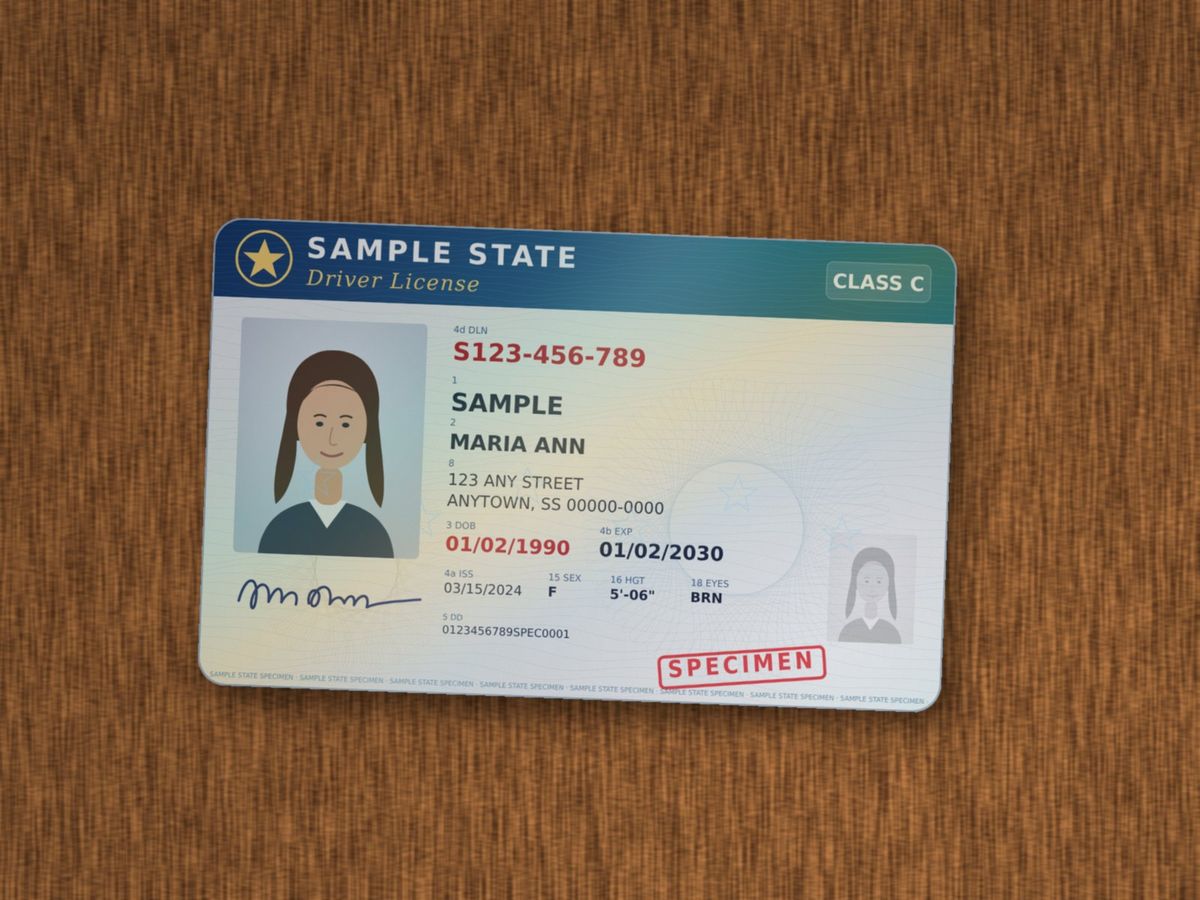
ID card, license or passport: front & back on one page New

Take a photo of each side (or scan them). EnokiPDF trims away the table or scanner lid and puts both sides on one page at the card's real size — exactly what offices ask for. See how it works ↓

ID copies

“Please send a copy of your ID — front and back, on one page.”

Apartments, banks, schools, new jobs, insurance, the DMV — everyone asks for it. Here's what that used to mean for me:

  • 📷Two photos, full of table. The kitchen counter, my fingers, the glare — in both pictures.
  • ✂️Cropping and guessing. Trim each photo, paste both into a document, guess the size — and the print comes out the size of a postcard, or a postage stamp.
  • 🖨️Or the copier. Card on the glass, copy, flip it, feed the same sheet back in. Crooked half the time.
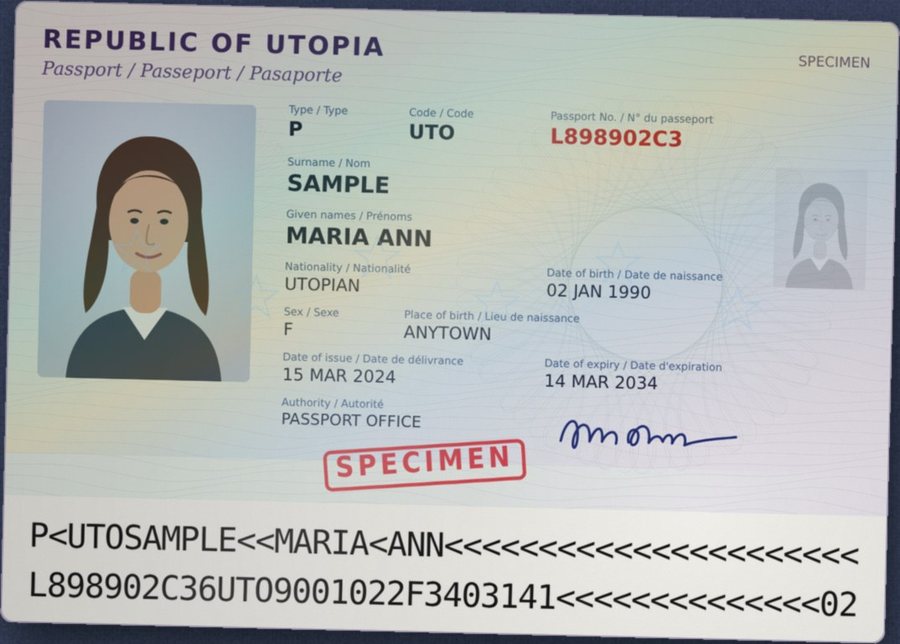
  • 🛂Passports are fussier. The data page has to be readable, at the right size, with the code lines at the bottom intact.
  • 🔒And it's the most sensitive thing I own. Uploading my license to some “merge PDF” website never felt right.

Now: two photos in, one page out — trimmed, at the card's real size, and the ID never leaves your device.

  1. Photo of each side — or a scan
  2. The table and scanner lid are trimmed away
  3. Both on one page at the real size
  4. Download one page — or share a link

Specimen documents for illustration — “Sample State” and “Utopia” aren't real. Works with photos, scans, and pages inside bigger PDFs; Letter or A4; card size, passport size, or bigger.

See it work

Real recordings, nothing staged

Each clip is EnokiPDF running in a normal browser on sample documents. Clips marked Pro are part of Pro & Teams.

Fill and sign a lease 52 s

Make a signature once, then let it walk you through every place — initials on every page in one tap.

A Korean form with a seal 39 s

성명, 휴대전화, 년 월 일 parts, tick boxes and a red 도장 — in the form's own language and date format.

Combine and pair scans 17 s

Drop in files, pair fronts and backs, drag pages into order, download one PDF.

ID card: front & back on one page 19 s

Two phone photos of a (specimen) license — trimmed and put on one page at the real card size.

Black out private information 35 s

Card, ID, email and phone numbers plus your address — removed from the file on download.

Share with a link that expires 20 s

A one-day link with a password — then what the other person sees.

Make a big scan smaller 19 s

Phone scans down to under 1 MB, ready to email — the text keeps its own crisp layer.

Add a watermark 17 s

CONFIDENTIAL, DRAFT or your own words — your colour, how dark, diagonal or tiled. Free for everyone.

Pro Ask a client for documents 33 s

A request link texted with a QR code; your client sends files from their phone, locked so only you can open them.

Pro Marked copies and Bates numbers 28 s

A copy with each person’s name on every page, then LOPEZ-000001 numbers in a saved style.

Pro Prove nothing changed 19 s

An audit certificate page, then anyone checks the file at /verify — change one byte and it no longer matches.

Pro Know when a link is opened 21 s

A 🔔 in EnokiPDF when they open it — and an email if you turn it on. Never who opened it.

For work: Pro & Teams

For professionals & teams

When it’s work, prove it.

Tax preparers, property managers, law offices, HR — the same privacy as everything else on this page, plus the tools work paperwork needs. Five tools below — each with the everyday problem, then a real recording of the fix.

1📥 Ask for documents

The problem

Clients email their most private documents

W-2s, IDs and bank statements arrive as plain attachments — then sit in a shared inbox long after you’re done with them.

With EnokiPDF
  • One link with a checklist — W-2, 1099, photo ID — no account for your client
  • Each file is locked on their phone before it’s sent; only you can open it
  • Text the link with a QR code, and files delete themselves after you download them

2🧾 Prove nothing changed

The problem

Months later, someone disputes the signed copy

A deposit dispute, a contract question. You have a PDF — but no way to show it’s the one that was signed.

With EnokiPDF
  • An audit certificate page: who signed, which page, when — and a code
  • Anyone checks it at enokipdf.com/verify — the file isn’t uploaded
  • Change even one byte and it no longer matches

3👥 Marked copies & Bates numbers

The problem

One document, many recipients — and 1,800 pages to number

A draft turns up where it shouldn’t and nobody knows whose copy it was. A production is due Friday and every page needs a number.

With EnokiPDF
  • Each person gets their own copy with their name on every page
  • Bates numbers like LOPEZ-000001 — the next file carries on
  • Your look: font, colour, corner — saved and synced to your devices

4💧 Watermarks

The problem

Drafts travel like finals

A review copy gets forwarded, printed, attached again — and looks exactly like the real thing.

With EnokiPDF
  • CONFIDENTIAL, DRAFT, COPY, VOID — or your own words
  • Across, diagonal or tiled; your colour and how dark
  • Free for everyone — added when you download, so you can change it any time

5🔔 Know when it’s opened

The problem

You send it — then you wait and wonder

Is it stuck in spam? Did they look? You chase by phone without knowing.

With EnokiPDF
  • A 🔔 in EnokiPDF when your link is opened — and how often
  • An email too, if you turn it on — at most one an hour per link
  • Never who opened it or from where — only that it was opened
🧮 Tax & accounting🏠 Property & real estate⚖️ Law offices👥 HR🩺 Clinics
See plans & prices ↓

Real days, real near-misses

What it looks like in your industry

A typical week — and where EnokiPDF steps in.

Maria runs leasing for 300 units — about 30 move-ins a month.

Subject My application docs
📎 paystub-sept.pdf📎 license.jpg📎 bank-stmt.pdf
Still in the inbox · 3 years later
1. Applications arrive by email Pay stubs, bank statements and a driver’s-license photo land in the shared leasing inbox — and stay there for years.
p.7 initial missing
2. The lease packet Five forms, 23 places to initial. One is missed on page 7 of the pet addendum — the tenant has to come back in.
Former tenant“That page wasn’t there when I signed.”
⚖️
3. Fourteen months later A deposit dispute: “That cleaning-fee page wasn’t there when I signed.” Maria has a PDF — and her word.
New tenant · Unit 4B
  • ✓Documents uploaded — locked to you
  • ✓Packet: all 23 initials done
  • ✓Audit certificate added
  • ✓Link expires in 7 days
4. With EnokiPDF A secure upload link for the documents, a saved “New tenant” packet that checks every initial, and an audit certificate on the signed lease.

See plans & prices →

Pricing · on your honor

Free at home. Pro at work.

No trial, no watermark, no sign-up and no limits for your own paperwork.

🤝 A different kind of free

EnokiPDF is free for personal and family paperwork — taxes, leases, school forms, IDs. If it helps you earn a living — clients, tenants, patients, employees — please choose Professional or Team.

Nobody checks, and nobody can. Your files never leave your device, and we will never track you to find out. We trust you to do the right thing.

💚 Why your plan matters

Paid plans keep EnokiPDF free, private and ad-free for families — no selling data, no bait-and-switch. They pay for the servers behind share links and document requests, and for what gets built next.

And you get the tools work paperwork needs: requests, proof, marked copies and more.

— DC Chung, maker of EnokiPDF

Free

Personal & family paperwork

$0 forever · no account · on your honor

Open EnokiPDF
  • Every PDF tool, unlimited
  • Fill & Sign, black out, make smaller
  • Share links for up to 7 days
  • Files never leave your device

Professional

One person who uses PDFs for work

$72a year · $6/month

  • Everything in Free, plus:
  • Secure document requests
  • 🔔 Know when links are opened
  • Audit certificate anyone can verify
  • Marked copies & Bates numbers
  • “Verified by EnokiPDF” on your links
  • Links up to 30 days · 100 MB files
For offices

Team

2–10 people, one bill

$96a year per person · $8/month

People3
  • Everything in Professional, for each person, plus:
  • Each person signs in on their own
  • Add people any time — pay only for the rest of the period
  • Links up to 90 days
  • A marked copy for up to 100 people

Compare every feature ↓··Upgrade any time — it starts right away. Downgrades and cancelling take effect at the end of the period you’ve paid for.

Compare every feature — Free, Professional and Team
FeatureFree$0Professional$72/yrTeam$96/person/yr
📄 Everyday PDF work
Combine, reorder, rotate, split pages✓✓✓
Fill & Sign — forms, signatures, initials, dates✓✓✓
Black out private info (really removed)✓✓✓
Eraser, watermark, make smaller✓✓✓
Clean up scans, ID card page✓✓✓
Works offline — files never leave your device✓✓✓
🔗 Sharing
Share links with a password or one download only✓✓✓
A link lastsup to 7 daysup to 30 daysup to 90 days
File size50 MB100 MB100 MB
“✓ Verified by EnokiPDF” with your firm’s name—✓✓
🔔 Know when a link is opened (and email me)—✓✓
📥 Collecting documents
Secure document requests — clients upload from their phone—✓✓
Files locked end-to-end; only you can open them—✓✓
Send the request by text with a QR code, Gmail or Outlook—✓✓
🧾 Proof
Audit certificate — anyone can check it at /verify—✓✓
A marked copy for each person—up to 50up to 100
Bates numbering in saved styles—✓✓
🔄 Saved and synced (encrypted)
Signatures, initials and stamp stylesthis browserall your devicesall your devices
Your list of share linksthis browserall your devicesall your devices
👥 Account
Peopleno account needed12–10
Sign in with an email code — no password—✓✓
Owner adds and removes people——✓
Card, invoices and cancelling — self-serve—✓✓
Open EnokiPDF

Privacy & trust

Security

Your documents stay yours

Most online PDF tools upload your file to their servers to work on it. EnokiPDF doesn't need to.

Your device does the work

Opening, filling, signing, combining, blacking out and shrinking all run in your browser. The file never travels.

The one exception: a share link

Only when you choose to send it. The PDF is locked with AES-256 on your device first, and the key stays in the link — never sent to us.

Then it self-destructs

Our server holds a sealed file it can't open — not even its name — and destroys it when the time is up, after one download, or when you say stop.

  • We don't collect your data — or sell it. No account, no ads, no cookies, no IDs. EnokiPDF only counts visits and which features get used, never what's in your files — and you can turn even that off.
  • No third-party code. The page may only load EnokiPDF's own files and talk only to EnokiPDF's own server.
  • Signatures stay on your device. Kept in your browser for next time; delete them any time.
  • Black out removes, not covers. Pages with black boxes are rebuilt so the hidden text is gone from the file.
  • Passwords are never sent. A link password is mixed into the lock on your device (600,000 rounds of PBKDF2).
  • Share links self-destruct. After 1 hour, 1 day or 7 days, after one download, or the moment you press “Stop sharing”.

Benchmark

Measured, not promised

Every change to EnokiPDF is checked against the same test sets: forms with an answer key, and over a thousand pages that are not forms.

Finds the places to fill

Places found correctly on test forms with an answer key (right spot and right kind).

Typed forms in 7 languages93/93
A scanned English lease17/18
A phone photo of a form7/9
Scans in Korean, Japanese, Spanish15/41

English, Korean, Japanese, Chinese, Spanish, Vietnamese and Russian typed forms. Wrong suggestions on all these forms: 0. Scans are harder — anything it misses, you place with one tap.

Doesn't cry wolf

On 1,180 public test pages that are not forms — brochures, reports, statements, slides, drawings — pages where it wrongly offered places to fill:

6 pages50 pages
Before206
Now21

False boxes in total. On our own brochure, report, invoice, menu, letter and slide samples — typed and picture-only: 0.

Fast on big documents

A 300-page PDF opens for filling and signing in about a second: only the pages near your screen are drawn.

0.98 seconds

Measured in our automated test browser (Chromium).

Shrinks scans, keeps text sharp

Three scanned pages plus a text page, made to fit under 1 MB:

0.70 MB8.7 MB

Pages with only text are copied unchanged, so they stay searchable and crisp.

Compared

Where does your file go?

The biggest difference between PDF tools isn't a feature — it's what happens to your document.

EnokiPDFAdobe Acrobat online (free)iLovePDFSmallpdf
Where your PDF is worked onOn your device — never uploadedUploaded to Acrobat webUploaded to their serversUploaded to their servers
How long they keep itNothing to keep“Deleted unless you sign in to save it” — no time givenDeleted within 2 hours (self-signing: 1 month; signature requests: as long as the law requires)Deleted after 1 hour (eSign and shared files: until you delete them)
Sign-in to finish a filled formNo — no account at allYes — “You must be signed in to complete the fillable form”Not covered on the pages we checked

From each company's own pages, checked October 2026: Adobe Fill & Sign · iLovePDF: are my files safe? · iLovePDF: deleting files · Smallpdf: is it safe? · Smallpdf: storage after signing. Their offers change; check before relying on them.

About EnokiPDF

Why I built EnokiPDF

The paperwork pain everybody knows — I just got tired of it

Hi, I'm DC Chung. I taught programming at universities — during graduate school and while working as an industrial engineer and database developer in the semiconductor industry. I became a business consultant, then spent 20 years as a security engineer and director of product management, and I hold a US patent in user-interface design. My work has always been making complicated things simple — and keeping data safe. Then, at home, a few PDFs kept beating me.

Two signatures, two places

So many forms need my wife's signature and mine — and we're often not in the same place. Print, sign, scan, email, wait for her to do the same, then do it again when one page comes back wrong.

EnokiPDF: I sign and send her an AES-256 locked link that self-destructs. She opens it on her phone, signs, and sends it back the same way.

The “what if” in the back of my mind

Tax returns, leases, IDs — the most private papers we own — and every free tool wanted them uploaded first. After two decades in security, I couldn't stop asking where my file actually went.

EnokiPDF: the file never leaves your device. A share link is locked before it goes, and our server can't open it.

Free… until the last step

Sign up for a trial, sign in to continue, upgrade to download — usually right after I'd filled in every field. Then the reminder emails.

EnokiPDF: no account, no trial, no watermark. Open the page and finish the form.

Fighting flattened PDFs

Most forms aren't real fillable PDFs — they're flattened pages or scans. Getting text onto the line, a tick inside the box and a signature in the right spot meant nudging things around, again and again.

EnokiPDF: it finds the lines, boxes and signature places for you. Tap a yellow box and type.

So I built the tool I wanted for my own family: private by design, free to use, and at home in the form's own language. If it saves you one evening of print, sign, scan, it was worth building.

DC Chung · Maker of EnokiPDF

What's next

Free for families. Fair for professionals. AI only where it helps.

Today

Free for personal use

Everything on this page is free for individuals and families — no trial, no sign-up, no watermark.

Try the demo →
New

Pro & Teams

For professionals and small teams: document requests, audit certificates, a marked copy for each person, Bates numbers, 90-day links with “✓ Verified by EnokiPDF”, and a 🔔 when they’re opened. Sign in with your email — no password.

See what it does →
On the way

AI for practical value

AI features are coming — but only where they save real time on real forms, not for the buzzword. Privacy stays the starting point.

Tell me what would help you →

Questions

Good to know

Is it really free?

Yes, for personal and family use — no account, no trial, no watermark and no limits. EnokiPDF runs in your browser, so it costs very little to offer. If you use it for work, we ask you to choose a Pro plan — it’s an honor system.

How do you know if I’m using it for work?

We don’t — and we won’t try. Your files never leave your device, and EnokiPDF doesn’t track you. It’s on your honor: if EnokiPDF helps you earn a living, a Pro plan keeps it free and private for everyone else.

What is the founding price?

The first 100 Pro accounts, or anyone who joins before March 31, 2027, pays $4 a month or $36 a year (per person on Team) — half the normal price — for as long as the plan stays active. If you cancel and come back later, it’s the normal price.

Can I change or cancel my Pro plan?

Yes, from your account. Upgrades (more people, Team, or yearly) start right away and you pay only the difference. Downgrades and cancelling take effect at the end of the period you’ve paid for — everything keeps working until then, and your files were always on your own devices.

Are my files uploaded anywhere?

No — opening, filling, signing, combining, blacking out and shrinking all happen on your device. The only exception is a share link you choose to make — and then only a copy locked with AES-256 on your device, which our server can't open and which self-destructs on schedule.

Is the signature legally valid?

It's a simple electronic signature — like signing a printout and scanning it, which most forms accept. It isn't a certified digital signature. With Pro & Teams you can add an audit certificate page that anyone can check at /verify.

Which languages work?

23, including Korean, Japanese, Chinese (simplified and traditional), Arabic, Hebrew, Hindi, Thai, Vietnamese, Russian, Spanish and French. Dates are written the way each language writes them.

Does it work on my phone?

Yes — in any modern browser. Add it to your home screen and it opens like an app, and works offline once loaded.

Who makes EnokiPDF?

DC Chung (Enovotek) — university programming instructor, industrial engineer and database developer in semiconductors, business consultant, then 20 years as a security engineer and director of product management. He holds a US patent in user-interface design. Questions and ideas are welcome: [email protected].

Will there be AI features?

Yes, where they add practical value on real forms. They will be clearly marked, so you always know when they're in use.

Do you collect or sell my data?

No. Your documents stay on your device, and we never sell data. To know what to improve, EnokiPDF counts which features get used — for example “Make it smaller: used 120 times” — with no cookies, no IDs, nothing about your files, and no IP addresses stored. Turn it off in the app's ⋯ menu (📊 Usage counts); it's also off when your browser asks sites not to track. Feedback you send is only what you type. Pro & Teams accounts are the one exception to “no account”: we keep your name or firm, your team’s emails and the details shown on your share links — still never your files.

How do I suggest something or report a problem?

In the app, press 💬 Feedback at the top (or tap 👍 / 👎 after a download). Or send feedback now — DC reads every message.

What can't it do?

It doesn't edit the PDF's own text in place — though with ⌫ Eraser you can remove it and type over it. On scans and photos it may miss some places to fill — tap the page to place things yourself.

Try it on a sample form

No sign-up, nothing to install. It takes about a minute.